

This post was originally published on this site.
Lexar TouchLock Portable SSD: 30-second review
The popularity of compact portable SSDs has made them a mainstay of storage options; after all, they’re relatively inexpensive, easy to use, and for the most part, simply plug-in ready for use. With the latest design evolution, many models now feature a MagSafe connector, enabling you to attach them directly to the back of your mobile device.
However, this ultraportable and compact design means that whilst you can always carry them with you, and they’re robust enough to do so, they are far easier to lose than more traditional desktop solutions.
There are, of course, software encryption options which, off the shelf, will stop your general user from accessing the contents of your drives. But with a little time and some freely downloadable software from the internet, most software encryption is easy enough to overcome. However, if you do want more security for your portable SSD, for your work files, videos and other content, then the likes of the Lexar Touch Portable SSD, which includes 128-bit AES hardware encryption, are a great option.
Whilst there are many portable SSDs that offer similar levels of file security, this portable SSD differs by featuring an NFC chip that lets you quickly unlock the drive without entering any PIN codes or passwords.
It works through an initial setup: download the Lexar app, connect to the SSD via the included USB-C cable, and set up the simple NFC touch, which will later enable you to quickly unlock the device once it’s connected to either a mobile phone or a computer.
There are a few things to consider: unlike some other secure portable SSDs, this one can only be unlocked by the phone with the app installed. Whilst you do have a recovery process during the setup process, it makes it far more secure than many other options on the market. The fact is, this is hardware encryption, so without unlocking the drive, any machine you plug it into won’t recognise that it is even attached. It’s only once that connection has been made with a tap of the phone that you’ll be able to see and access the contents of the drive.
The hardware encryption is exceptional, and none of my off-the-shelf software could access the contents of the drive.
One downside about secure drives is that speed, and sure enough, speeds are relatively limited; whilst we’ve come to expect SSDs with transfer rates of 1000MB/s+, here you’re lucky to hit 400MB/s for read and far less for write, which also limits how you can use this as a working SSD.
Used alongside all newer iPhones and Android devices, you’ll be able to record video in log video quality perfectly well. But if you switch over to the iPhone 17 Pro, then not all of those log frame rates will be available to you due to those limited transfer rates. Likewise, if you’re thinking this would be a great solution to use in combination with your video cameras when shooting productions, just for an added level of security, then the transfer rate lags a little too much.
It’s not the best portable SSD on the market – but it is one of the simplest and cheapest encrypted drives I’ve ever used. As long as you’re not trying to push what you’re doing with this portable SSD and are just using it to transfer secure files for work, then it is an exceptionally good drive. If you’re looking at it as a portable, secure working drive, those speeds will be limiting.
Lexar TouchLock Portable SSD: Price and availability
- How much does it cost? From $100 / £100
- When is it out? Available now
- Where can you get it? Available from retailers including Amazon
The Lexar TouchLock is in 512GB and 1TB capacity models from Amazon.com and Amazon.co.uk, with prices started at $100 / £100.
There’s also a 2TB model listed on Lexar’s site.
- Value: 5 / 5
Lexar TouchLock Portable SSD: Specs
Capacity options: 512GB / 1TB / 2TB
Connectivity: USB 3.2 Gen 1, NFC phone authentication
Encryption: 128-bit AES hardware encryption
Size: 1.4oz (40g)
Weight: 3.37 x 2.09 x 0.28in (85.6mm x 53mm x 7mm)
Lexar TouchLock Portable SSD: Design
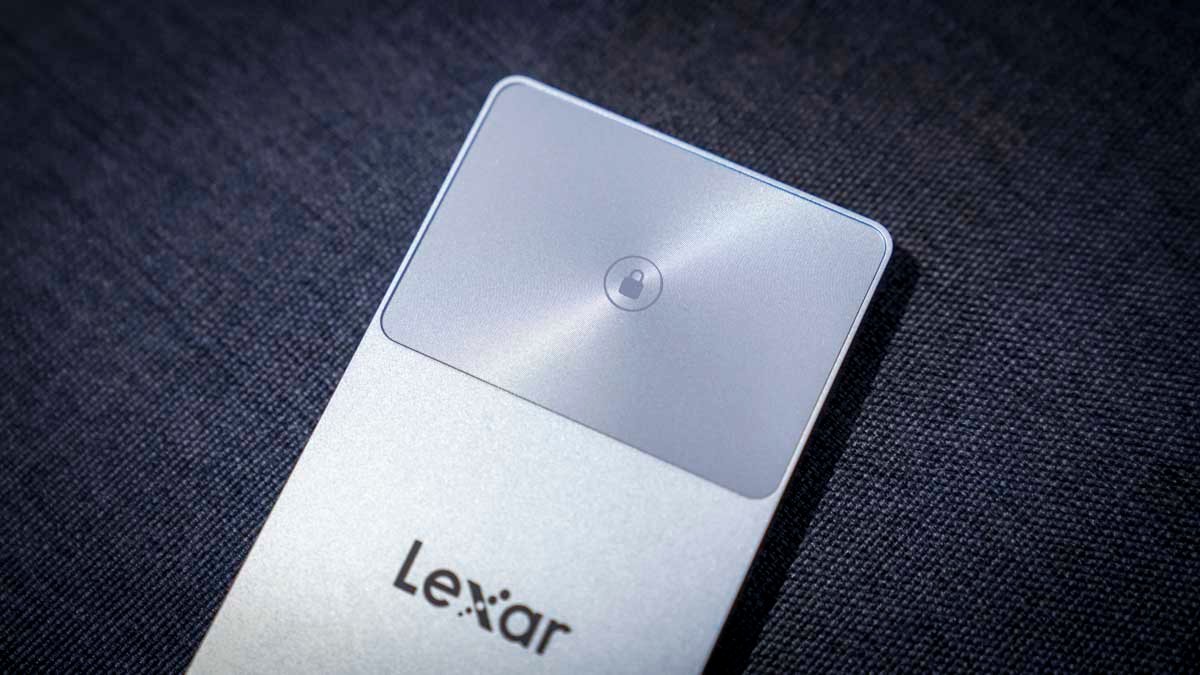
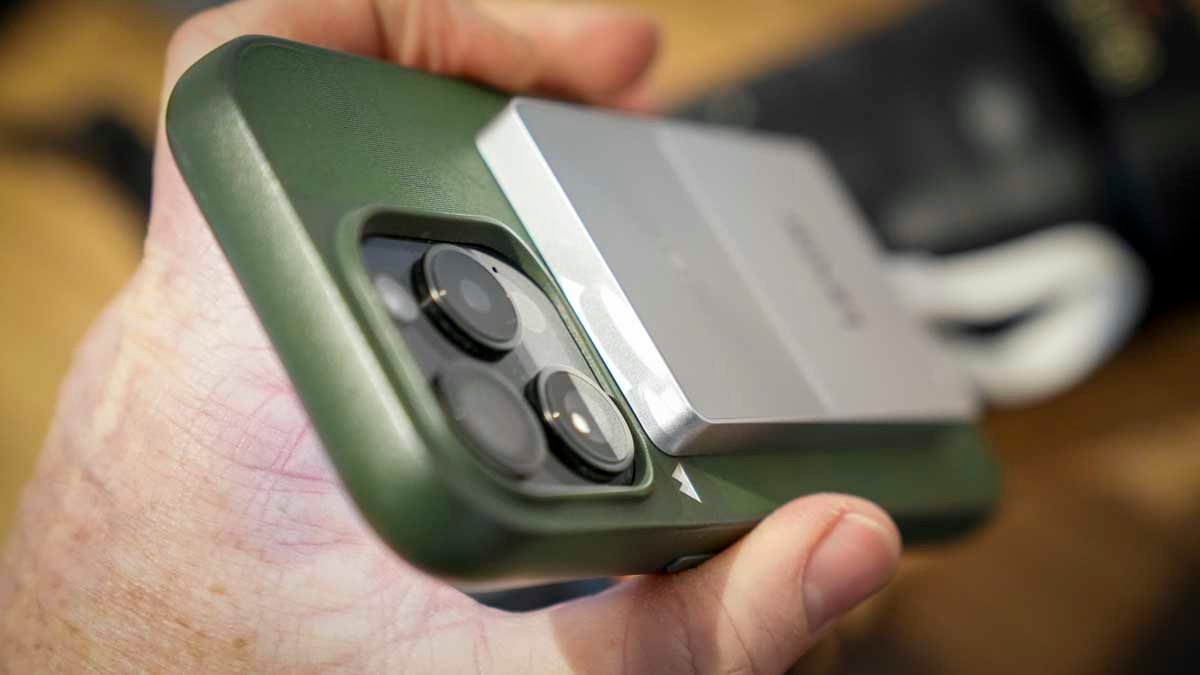
The Lexar TouchLock Portable SSD is a premium storage device designed for use with both your mobile phone and your laptop. The design features a high-quality metal-effect casing that gives the device a good, solid feel, and includes a MagSafe connector on the back that enables it to quickly attach to the back of your mobile phone. Due to the device’s slim design, it’s extremely comfortable to hold even with the drive in place.
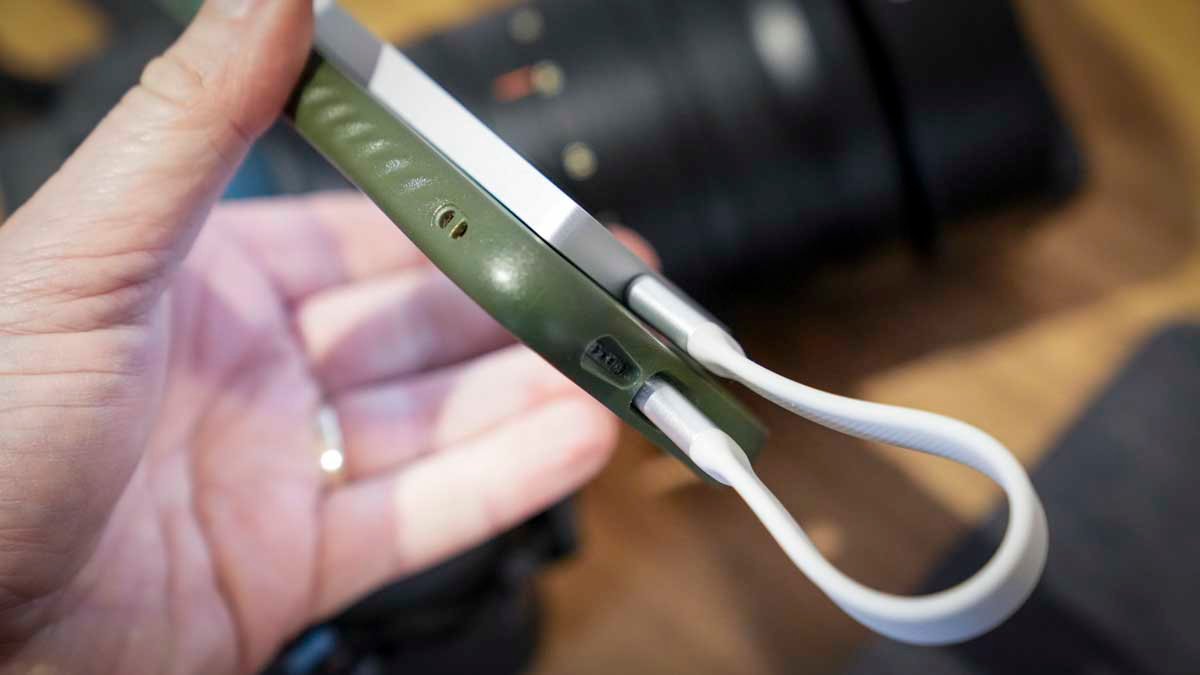
When it comes to the size and dimensions, it’s extremely light. The unit weighs 1.4oz (40g) for the drive itself (for the one-terabyte version reviewed), and the USB-C cable weighs 7g, bringing the grand total to 47g. In terms of size, it’s obviously been designed to fit neatly on the back of your mobile phone, and it measures 3.37 x 2.09 x 0.28in (85.6mm x 53mm x 7mm).
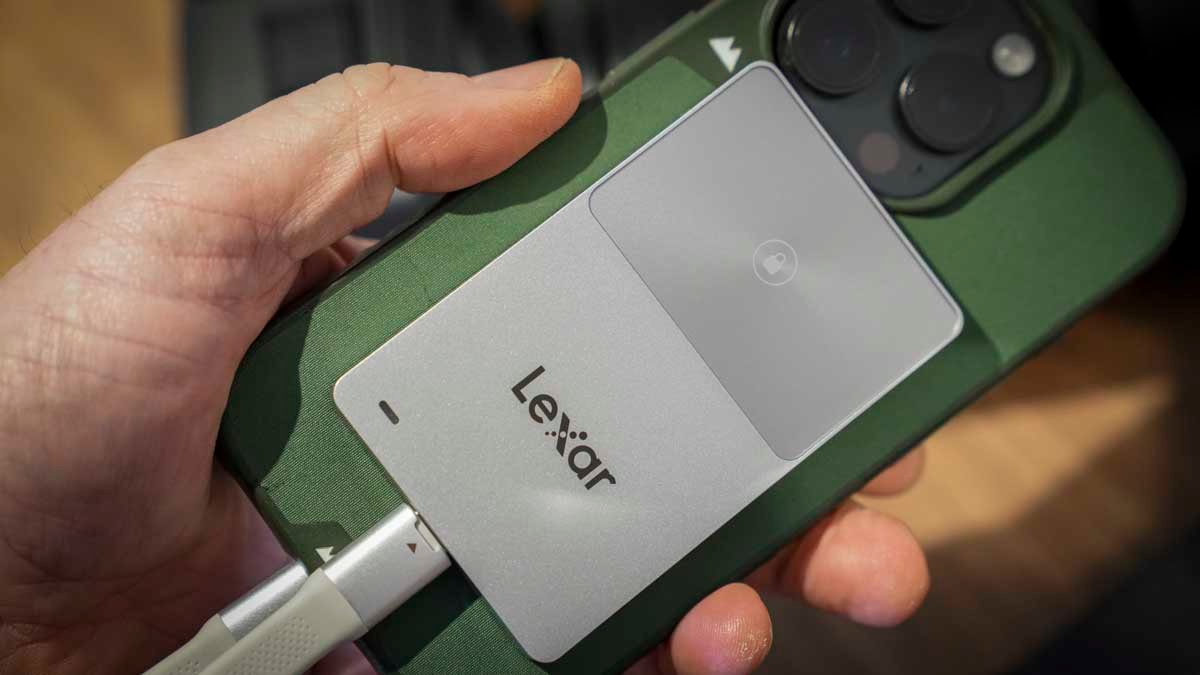
The drive, as well as being usable with your mobile phone, is compatible with any laptop or, for that matter, desktop PC. It features a standard USB-C connector, and Lexar includes a USB-C-to-USB-A adapter in the box.
What marks this portable SSD out from most others is its NFC security TouchLock, which requires your mobile phone and the Lexar app to be installed to unlock the drive and recognise it by your mobile phone or the computer it’s attached to.
- Design: 4 / 5
Lexar TouchLock Portable SSD: Features
As a compact, rugged, lightweight portable storage device, the Lexar TouchLock Portable SSD stands out from the majority of others with features such as dual-layer encryption and fortified data protection.
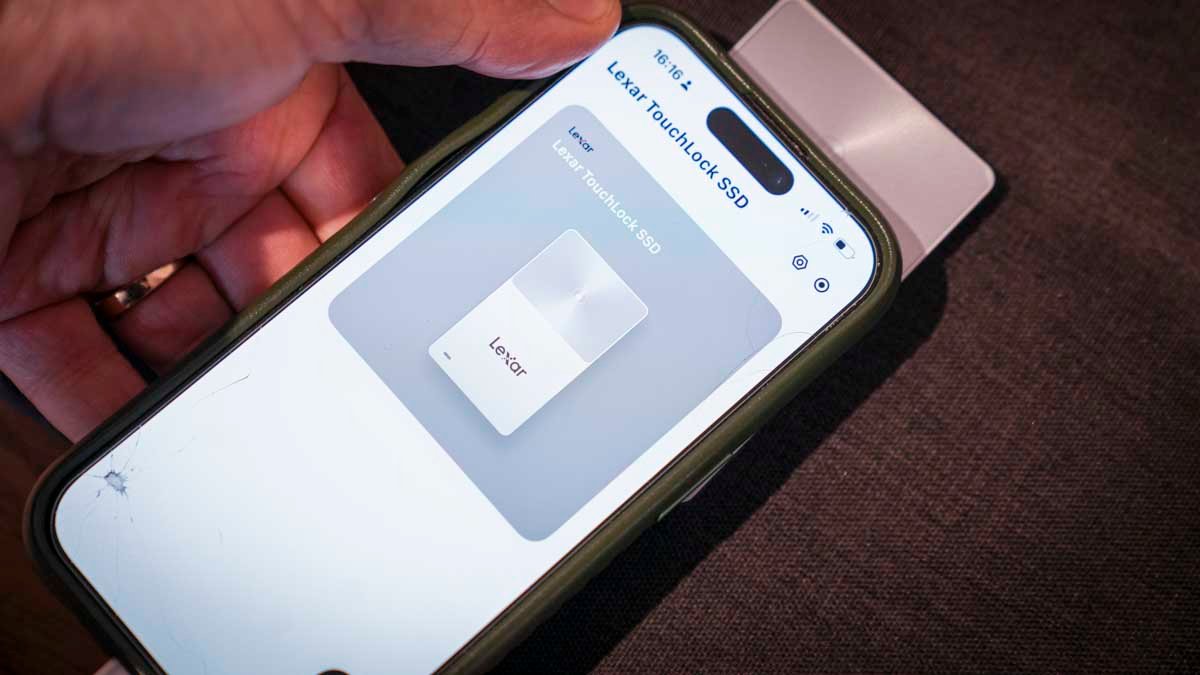
What this means is that when you connect the portable SSD to your computer or mobile device, unlike most others, it isn’t instantly recognised. Even if you go into Disk Utility to search for connected devices, this portable SSD won’t appear. It is completely locked until you unlock it using the dedicated Lexar app.
Activating NFC and AES encryption for the drive is all handled during the initial setup process, which enables the NFC chip in the portable SSD and your mobile phone to communicate when they’re tapped together, acting as a key to access the drive’s contents.
Lexar has ensured that the drive has wide compatibility, so whilst it features a MagSafe connector on the back that enables you to connect it directly to an iPhone, a metal ring is included in the box to attach it to an Android phone. It’s also widely compatible with other mobile phones, tablets and even desktop PCs.
The overall quality is good and solid. Whilst it might not be waterproof, it has been tested to withstand a two-metre drop and, through the test, proved durable enough for everyday use, being carried around in a camera backpack.
Taking a closer look at the lead feature, multilevel encryption, this is essentially 128-bit AES hardware encryption, which gives you far greater security than standard software encryption methods on most drives.
The Lexar Touch Portable SSD pairs an NFC chip with AES hardware encryption, so you can access the drive only after that connection is made. If, for whatever reason, you try to access the drive using another device, like other hardware-encrypted devices that require passwords, without that NFC tap (as with a password), there’s no access to the contents of the drive.
Lexar highlights that the level of encryption makes it ideal for business professionals, government and enterprise users, or everyday users seeking a higher level of security.
One of the things I like about the feature set is that, like other Lexar storage devices compatible with the Lexar app, it offers all the usual backup options that can be configured. So if you want a secure way to back up your mobile phone, it is perfectly possible. All you need to do is set up the process, connect the drive via USB to your mobile phone, tap to unlock with the NFC chip, and then, through the app, select ‘backup’ and the rest will be handled automatically.
One final point here is that, unlike most portable SSDs, security is the key attraction of this drive. Whilst it is relatively fast at around 400MB/s, it’s slower than the likes of the Lexar ES5 Magnetic Portable SSD, which means that whilst it’s great for archiving and backing up your data, it’s not a great option if you’re looking for a working drive.
- Features: 3.5 / 5
Lexar TouchLock Portable SSD: Performance
AmorphousDiskMark Read: 391.10MB/s
AmorphousDiskMark Write: 221.94MB/s
AJA System Test Lite Read: 266MB/s
AJA System Test Lite Write: 229MB/s
ATTO Disk Benchmark Read: 383.10MB/s
ATTO Disk Benchmark Write: 397.49MB/s
Most portable SSDs require little in the way of setup; just plug them in, and the storage will appear, ready for use on your laptop, desktop, or mobile phone. However, with the Lexar TouchLock Portable SSD, it’s not quite as straightforward because you have to set up the drive’s security before you can actually mount the storage on the system you’re using. To do this, first connect it to your mobile phone via the USB-C cable, and make sure your mobile phone has an NFC chip; otherwise, you won’t have the key to unlock the drive.
The next step is to download the Lexar app. Then, as long as the SSD is connected, the app will detect the drive when you start it. You then run through the setup process, including the final step: saving your recovery key, a long string of words used if you need to set up the SSD on another device.
Once everything is done, in place and registered, the drive is ready to use. On your mobile phone, you simply plug it in, tap where the NFC chip is, and the SSD will then be ready for use, to back up your files or record video footage if you’re using an iPhone with a Lightning port, although there are limitations for the latest iPhone model due to the video file size and data rates.
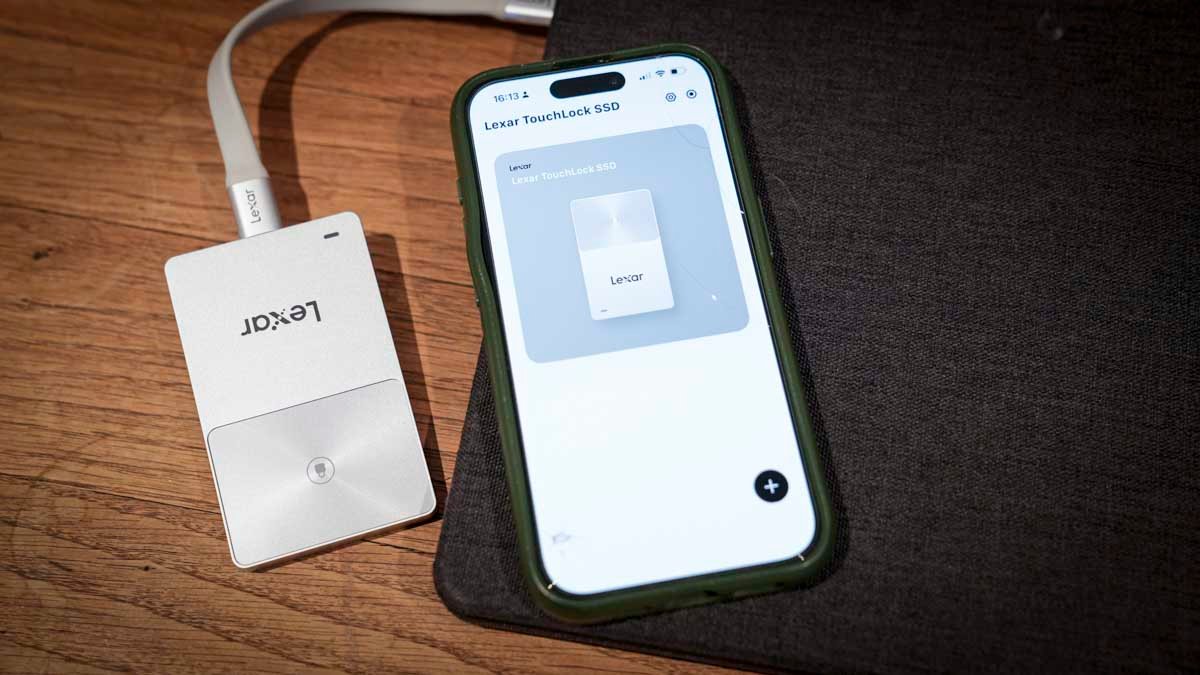
If, however, you’re connecting it to your laptop or desktop machine, once it’s connected, tap the unlock pad on the drive with your mobile phone’s NFC and the drive will unlock and mount.
One thing I noticed right away: for the NFC chip to work and unlock the SSD, you need the Lexar app installed and open. You can’t just pick up your mobile phone and tap the NFC area on the SSD for it to unlock; you need to unlock the phone, access the Lexar app, select the Lexar TouchLock SSD option, and then tap the lock. It’s not a long process, but it’s not the one-touch I was hoping for. However, once the SSD is unlocked, essentially, it’s like any other portable SSD.
As I ran through a series of tests, I noted that the speed, whilst good at around 400MB/s for read speeds, the write speeds on the Mac averaged around 200MB/s, lagging well behind most other recent portable SSDs, and this is no doubt due to the level of security in place. This means it’s a great portable SSD for storing and archiving sensitive data. However, if you’re looking at this as a secure working drive, then those transfer rates will be a bit limiting. If you were thinking of using this with one of the many cameras that can utilise external storage, then for many cameras, those transfer rates are below the minimum requirements needed to capture the latest video.
Once I copied some content to the review sample’s 1 TB of storage, I unplugged and plugged it into a PC and tried to access the files with a variety of software. Unlike software-encrypted devices that still mount and appear in the drive listings, here the drive wouldn’t be recognised by the computer until the NFC lock was tapped. This made it far more secure than all software-encrypted drives, and a great option.
After giving the drive a good test, there was one big question I had to answer: what if I needed to post my secure files to my accountant, or if I was working on a project that required sending them securely? It seemed the drive itself could be transported, and the contents would be nice and secure, but my main question was: could it be unlocked at the other end without using my phone, which had the NFC key set up?
The simple answer is: while you can set up the Lexar app on another device, you’ll need the recovery key to do so. It does take a little time to select all the options, but as long as you have the recovery key you saved at the outset, you can send it to another party. When they receive the drive, they can install the app, use the recovery key to set it up, and then unlock the drive.
The pure simplicity of the Lexar Touch Portable SSD makes it exceptionally straightforward, and, from my point of view, it’s very much a personal device rather than one to be used by a business. The reason is that you set it up for a single user, and if you are thinking about posting it, then the process is a little convoluted. Other secure drives have a far more fluid system, enabling admin users and user accounts to be set up with different passwords and access levels, whereas here, through the Lexar app device management, you only really get the option to change the name of the drive and the password, so from that perspective, things are rather limited.
However, if you’re looking for a good, solid, very secure portable SSD for everyday use, then the Lexar Touch Portable SSD is a good, lightweight and secure option.
- Performance: 4 / 5
Lexar TouchLock Portable SSD: Final verdict
The Lexar Touch Portable SSD is a neat and stylish secure drive that will suit individuals, small businesses, and anyone looking to secure their files. Throughout this review, it was clear that this is more of a personal secure drive than one used by enterprises or larger businesses. There’s no mass management, admin user access, or access rights for different sections of the drive. It’s more just a hardware-encrypted drive, you plug it in and use NFC to lock and unlock.
Once you start to look at it from this perspective, it’s a very solid choice. Considering the cost of secure drives, it’s exceptionally well priced, with a good range of capacities from 512GB to 2TB, which, for most documentation, will be absolutely fine. However, if you are looking to store multimedia and larger files, then that 2TB top capacity might be a little limiting.
Likewise, whilst this is a secure drive, the transfer rates, fast compared with traditional HDDs, are around 400MB/s, slower than a standard SSD. So if you are looking to use this as a working drive, then again, it might be a little limiting.
The MagSafe connector on the back makes it usable with mobile devices. Whilst it’s very good for backing up your mobile phone data and for recording some log video, again, with the latest iPhone 17, those transfer rates are a little limiting.
However, for everyday users looking for a portable SSD that offers far more protection than your average storage device, this is a very compact, lightweight, and secure option.
Should I buy the Lexar TouchLock Portable SSD?
|
Value |
Compared to the competition, this hardware-encrypted portable SSD is excellent value |
5 |
|
Design |
Stylish, slimline design that makes it ultra-portable and useful with mobile devices |
4 |
|
Features |
A limited range of features focused on simple, easy-to-use security |
3.5 |
|
Performance |
Excellent hardware encryption security, decent build quality, and okay transfer speed |
4 |
|
Overall |
An exceptionally well-priced hardware-encrypted drive, great for secure backups |
4 |
Buy it if…
Password-free security
You want your drive locked by default, without having to type in passwords or use complex encryption apps.
iPhone-friendly setup
You like the idea of a MagSafe-style drive that can sit neatly on a phone for securely transporting and storing content.
Don’t buy it if…
You capture the Log video.
The latest mobile phones require higher transfer rates than this portable SSD can deliver to capture the latest log video.
No advanced options
If you’re looking to equip staff with a secure portable SSD, then the lack of administration management will be an issue.
For more storage solutions, we’ve tested out the best external hard drives and the best rugged drives.