

This post was originally published on this site.
BosGame VTI-490: 30-second review
The BosGame VTI-490 angled top panel, bright orange power button and the slightly cyberpunk styling suggest a machine aimed primarily at gamers, and for the first few days of testing, I kept that in mind as I started the application installs and connection to the network. By the end of a month, it had become one of the most impressive mini PCs I’ve tested, and while the integrated graphics will impress gamers, creative professionals should also take note.
What sets this machine apart is the new Intel Core Ultra X7 358H, built on Intel’s 18A process. This is the company’s first 2nm-class node, and the performance reflects what was promised by this new technology and release.
Using all standard applications in Windows 11 Pro is fluid; applications open quickly, and the full Adobe Creative Suite, Microsoft Office, and a browser full of tabs run without any issues. This was effectively reflected in the Windows Experience score of 8.9, which is among the highest I’ve seen in a Mini PC of this size.
As part of the new CPU, there’s the integrated Intel Arc B390 GPU, and checking out the benchmarks, the results were impressive with Fire Strike Graphics at 17,443, Time Spy at 7,717, and Wild Life at 43,790, which, to put it into context, is well above the usual Radeon 890M integrated GPU scores I’m used to seeing.
Before starting some serious work, I tested running Indiana Jones and the Great Circle and Hogwarts Legacy. Both ran smoothly at medium-to-high settings at 1080p, and at lower settings, 4K is also possible.
If you’re looking for a compact mini PC for creative use, for example to run Premiere Pro, DaVinci Resolve or Lightroom the machine was able to handle 4K footage from the Canon EOS R5 C and Sony a7 IV without issue, no dropped frames during productions lasting up to and beyond 15 minutes, although an external storage solution was needed as the 1TB internal drive is lacking on capacity.
This is where the most impressive feature came into play, the 10GbE LAN port on the rear. Connecting directly to a Ugreen DXP4800 GT NAS at 10Gbps delivered network transfer speeds approaching 800 MB/s, the equivalent of working from a directly attached drive while accessing multi-terabyte NAS capacity.
For video and photo professionals who run a high-speed NAS, this entirely eliminates the need for a separate 10GbE switch or adapter, enabling a neat, tidy workspace with plenty of upgrade potential if needed. Whether or not it’s the best mini PC out there will depend entirely on whether you need that level of functionality and power.
BosGame VTI-490: Price and availability
- How much does it cost? $1699
- When is it out? Now
- Where can you get it? Directly from BosGame
The Bosgame VTI-490 is available direct from Bosgame’s website priced at $1,699 / £1,284.
The review unit that I’ve tested here shipped with Intel Core Ultra X7 358H processor, a 1TB PCIe 4.0 NVMe SSD, and 64GB LPDDR5X RAM.
- Value: 4/5
BosGame VTI-490: Specs
CPU: Intel Core Ultra X7 358H, 16C/16T, up to 4.8GHz
GPU: Intel Arc B390
NPU: Intel NPU 5
AI performance: 180 TOPS combined
RAM: 64GB LPDDR5X 9600 MT/s, soldered, dual-channel
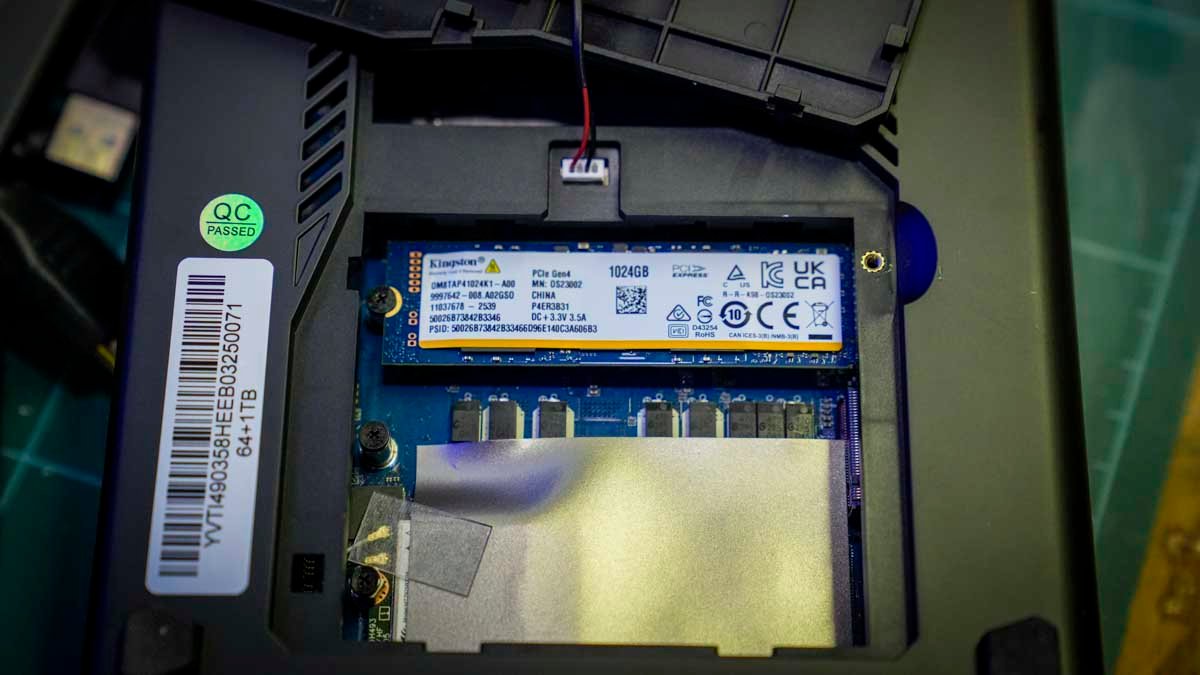
Storage: 1TB PCIe 4.0 NVMe SSD (Plus one M.2 slot available for upgrade)
Front ports: 3.5mm jack, 2 × USB 3.2 Gen2 (10Gbps), 1 × USB 2.0, 1 × Thunderbolt 4 (8K 60Hz), power button
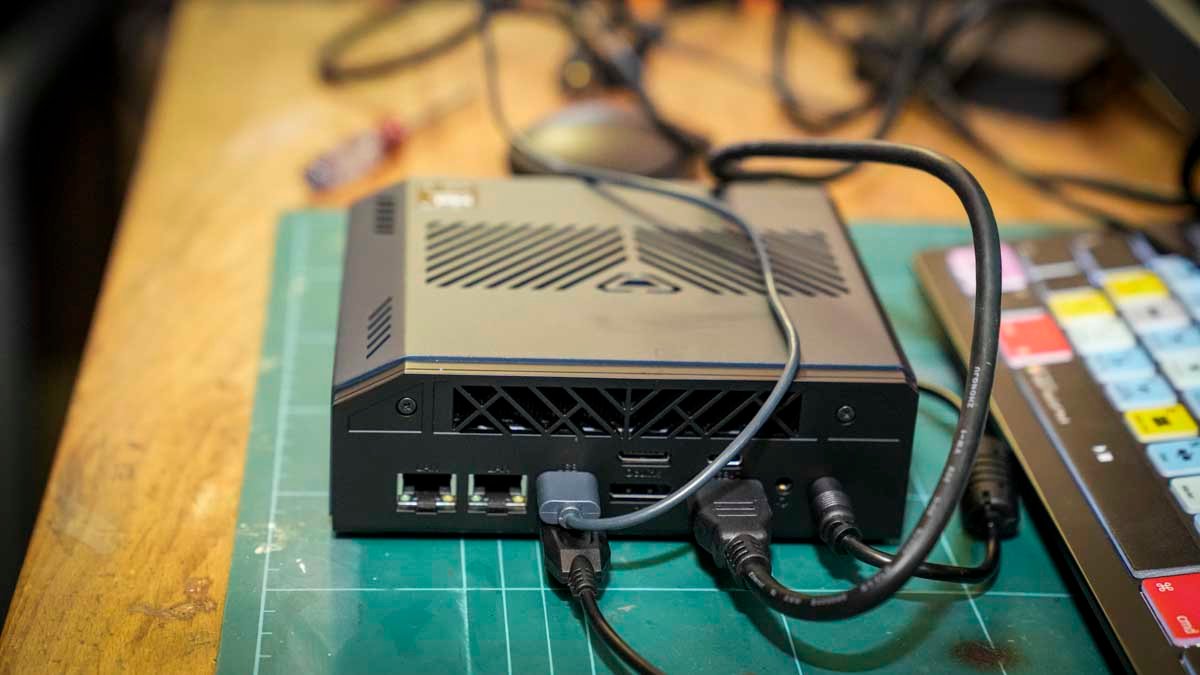
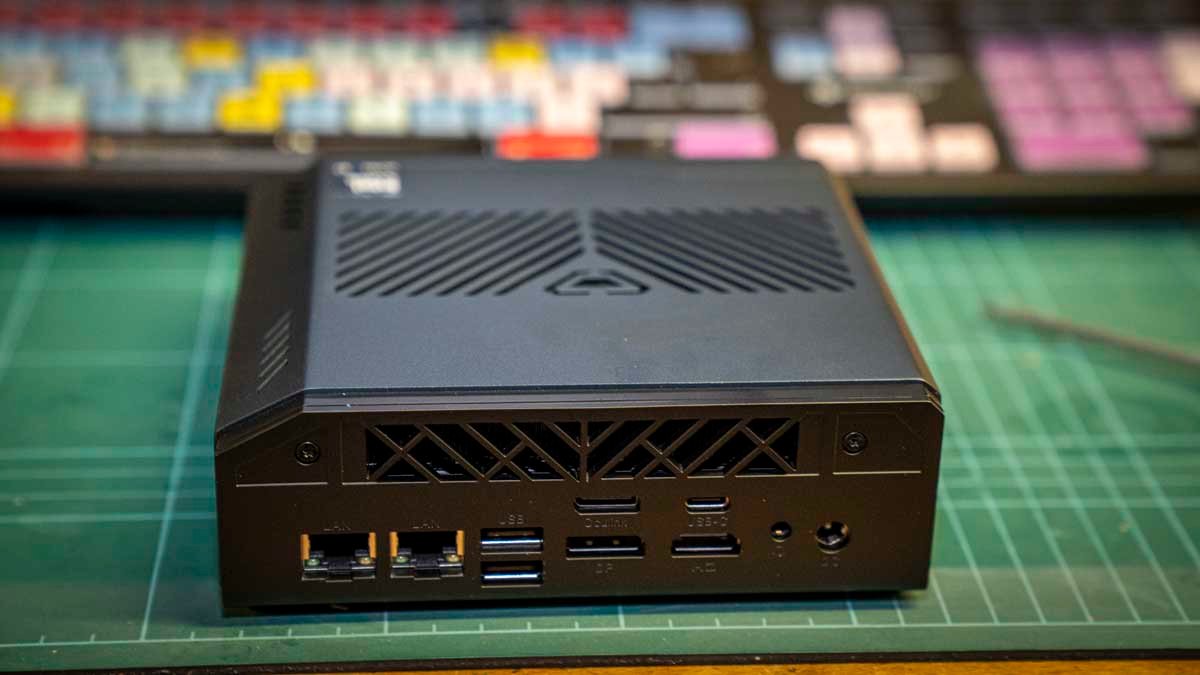
Rear ports: HDMI 2.1 (8K 60Hz), DisplayPort 1.4 (8K 60Hz), Thunderbolt 4 (8K 60Hz), 1 × 2.5GbE LAN, 1 × 10GbE LAN, 2 × USB 2.0, OCuLink
Wireless: Wi-Fi (Intel AX201, Wi-Fi 6), Bluetooth
OS: Windows 11 Pro
Dimensions: 5.98 x 5.98 x 2.05in (152 x 152 x 52mm) (including rubber feet)
Weight: 1.62lb (736g)
Bosgame VTI-490: Design
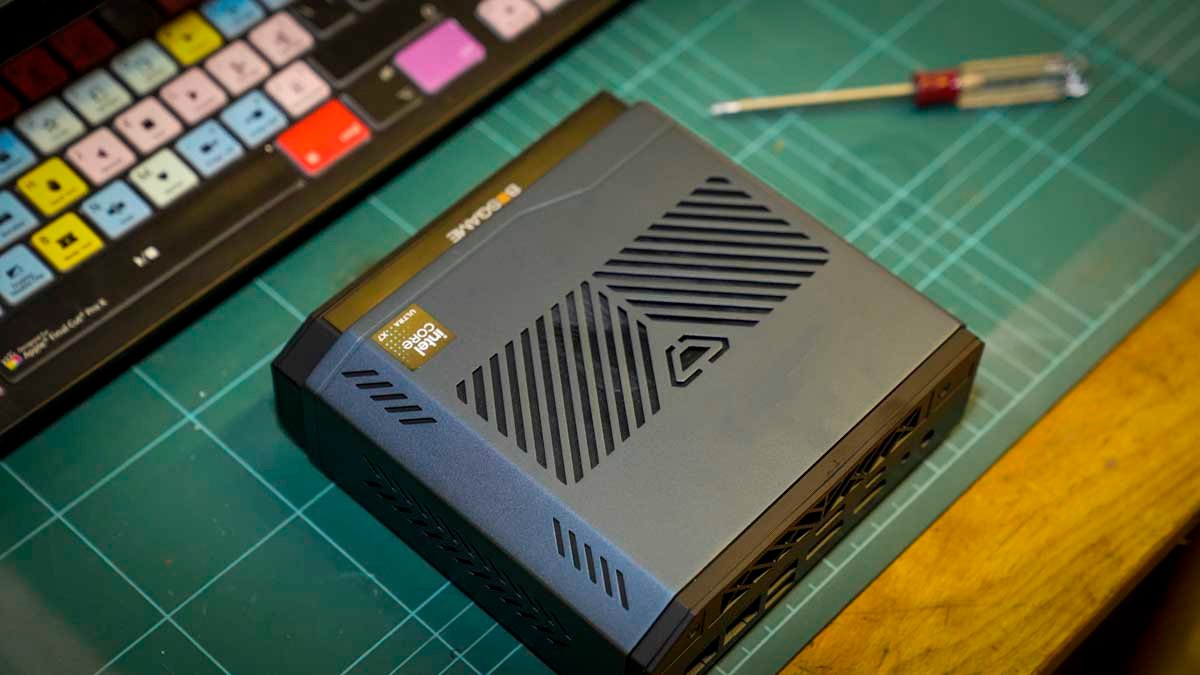
The VTI-490’s design is slightly different from the understated boxes that dominate the mini PC market. Firstly, there’s the angled top section, made from sheet metal with plenty of venting slots, complemented by quality plastic for the remainder of the chassis. The cyberpunk aesthetic, essentially angular lines, is minimalistic, and the bright orange power button sets off the front nicely. I personally like that it’s easy to find, which isn’t always the case.
While I say it has a slight cyberpunk style, it could equally be a piece of broadcast equipment, looking like a little smaller hardware encoder box. Either way, it sits neatly on the desk, taking up far less space than a workstation with comparable power.
At 5.98 x 5.98 x 2.05in (152 x 152 x 52mm) and 1.62lb (736g), it’s compact and light by mini PC standards, especially with this specification. It’s also worth noting that, unlike most mini PCs at this price, the VTI-490 does not include a VESA mount. It’s designed to sit on a desk rather than be mounted behind a monitor. If you rely on VESA mounting to keep the workspace clear, or to fix it to the inside of a van or cabinet, then this is something to think about.
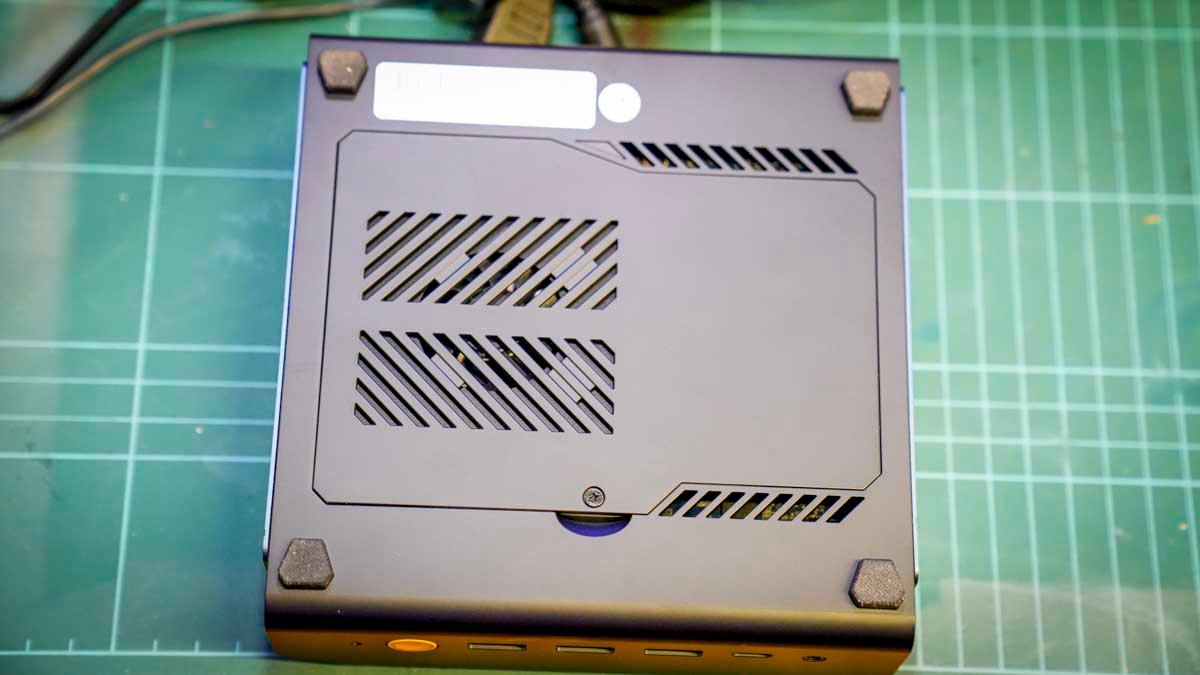
I’m not a great fan of the design. However, the port layout is well thought through, and the front panel offers a good selection of ports. These ports are set off by the bright orange power button, which is easy to find, and it sounds minor, but it matters in a busy studio environment. This power button is joined by two USB 3.2 Gen2 10 Gbps ports, one USB 2.0 port, a Thunderbolt 4 port capable of 8K output at 60Hz, and a 3.5mm headphone jack.
The rear panel offers an HDMI 2.1 and DisplayPort 1.4, both supporting 8K at 60Hz, alongside a second Thunderbolt 4 port, two USB 2.0 ports and the OCuLink port for future eGPU expansion.
The standout rear feature for creative professionals is the dual LAN: one 2.5GbE port for standard network connection and a dedicated 10GbE port, something no competing mini PC at this price that I’ve tested currently offers. This high-speed port enables direct NAS connection without additional switching hardware, which, for 10GbE, can be expensive.
The Core Ultra X7 358H and Arc B390 draw significant power for a mini PC, and the thermal design works well, though not silently.
- Design: 4 / 5
BosGame VTI-490: Features
At the heart of the machine is an Intel Core Ultra X7 358H with integrated Arc B390 GPU. In the test, this GPU delivered impressive performance, as was seen in the benchmark scores across the board. These controlled tests and the high scores that resulted were reflected in the real-world tests.
Premiere Pro and DaVinci Resolve handled 4K video editing with files from the Canon EOS R5 C more like a desktop machine than a mini PC. I was personally impressed that I could edit productions up to 15 minutes long and beyond without the performance drop-off that usually limits these small PCs. AI-accelerated features in Photoshop, such as generative fill and timeline expansion in Premiere Pro, all worked well.
As is now standard, the CPU and GPU are joined by a dedicated NPU, in this case the Intel NPU 5, which offers 50 TOPS of AI processing, and sits alongside the CPU and GPU rather than sharing resources with either. Using older Mini PCs without the NPU acceleration, it’s obvious the benefit you get, especially when using Copilot+ features, and then there’s the ability to run your own local language models via LM Studio.
During the test, LM Studio was used to set up a local AI agent capable of organising files within the home network, a workflow that picks up on a project that I had started with a high-speed NAS. Connecting the VTI-490 to the UGREEN iDX6011 Pro NAS creates a powerful local AI hub. It’s an ongoing project, and the potential is growing.
Looking at the more traditional hardware, 64GB of LPDDR5X at 9600 MT/s runs in a dual-channel configuration across all eight soldered memory chips, providing the bandwidth creative applications need.
Checking out Adobe Bridge, and it was able to render thumbnail catalogues from Sony A7 IV and Canon EOS R5 C shoots. Lightroom Classic batch editing, Photoshop file handling and Premiere Pro timeline management and rendering are all boosted by the higher RAM.
Checking out the stability of the machine by keeping everything open, including all of Microsoft Office, the full Creative Suite (including InDesign), and a well-loaded browser, didn’t noticeably affect the speed or stability.
During the test, the one feature that really stood out to me was the 10GbE LAN port, especially since I’ve been looking at the Ugreen DXP4800 GT NAS, and this compact partner proved to be a great solution for creative applications.
Connecting the mini PC and 16TB NAS directly via the 10GbE network ports enabled transfer speeds of around 800 MB/s, comparable to a directly attached storage device of this capacity.
What was good about this partnership was that I could make the connection without needing a separate 10GbE switch or a USB4-to-10GbE adapter. For videographers and photographers working from a NAS, this changes the economics of a simple desktop setup; a 10GbE switch will set you back around £250 and an adapter £80+. The second 2.5GbE port handles the standard network connection, leaving the 10GbE port free for the NAS direct link.
On arrival, the machine has Windows 11 Pro installed, and, as ever, the final steps of the installation are required: complete the Windows setup, register accounts, and the machine is ready to use.
On the back, you also have the OCuLink port; unfortunately, I don’t at present have an OCuLink eGPU to test this part of the machine.
- Features: 4.5 / 5
BosGame VTI-490: Performance
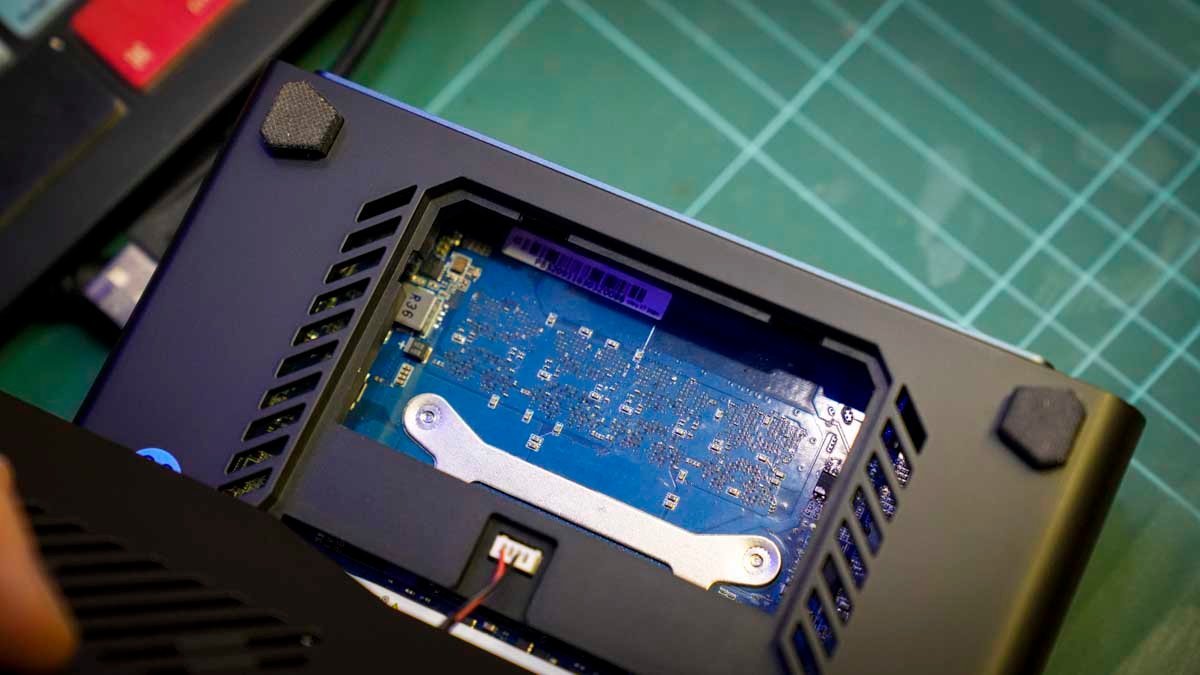
The machine arrived almost set to go with the final stages of the Windows 11 setup process needing to be completed before the tests could begin.
After running updates and ensuring all settings had been switched to performance, I started out with the main benchmark tests. Here, the machine instantly started to show its potential with a PCMark 10 score of 9,378, which is high. I then double checked this by running the Windows Experience Index, which, with a score of 8.9, is amongst the highest I have recorded for a mini PC.
This performance essentially reflected my experience with the day-to-day use. Microsoft Office applications open swiftly, and working across Word, Excel and PowerPoint with copy-paste between all three produces no notable lag. That new Intel CPU delivers plenty of speed for Windows 11.
I’m always interested in the disk speed as this is essential for video editing, although speeds are now reaching a point where, for the moment at least, they’re fast enough. Sure enough, CrystalDiskMark results of 6,052 MB/s read and 5,271 MB/s write showed that the PCIe 4.0 SSD is performing well.
CrystalDiskMark Read: 6,052.4 MB/s
CrystalDiskMark Write: 5,271.62 MB/s
Geekbench 6 CPU Multi-Core: 15,615
Geekbench 6 CPU Single-Core: 2,869
Geekbench 6 GPU: 56,442
PCMark 10 Overall: 9,378
Cinebench CPU Multi: 4,297
Cinebench CPU Single: 511
3DMark Fire Strike Overall: 14,593
3DMark Fire Strike Graphics: 17,443
3DMark Fire Strike Physics: 28,356
3DMark Fire Strike Combined: 4,941
3DMark Time Spy Overall: 7,717
3DMark Time Spy Graphics: 7,163
3DMark Time Spy CPU: 13,742
3DMark Wild Life Overall: 43,790
3DMark Steel Nomad Overall: 1,645
Windows Experience Index: 8.9
In practice, Premiere Pro cache operations, Lightroom catalogue loading and project file access all benefit from this speed. The limitation, however, is capacity.
1TB isn’t a great deal and fills quickly with 4K footage from the Canon EOS R5 C, for this test and due to that high-demand workflow, an external SSD or, more aptly, connecting to the NAS via the 10GbE port and editing directly from network storage would be the solution. There are, however, two M.2 slots in the chassis, which makes a 4TB upgrade straightforward when needed.
The Arc B390 is a GPU that I haven’t tested before, and the performance was exceptional. The first real example of this was the Fire Strike Graphics score at 17,443, then Time Spy Graphics at 7,163 and Wild Life at 43,790. This is a significant boost for integrated graphics.
What this meant was that in Premiere Pro, the GPU handles 4K Canon EOS R5 C footage through colour grading and effects without the slowdown that I’m used to seeing with productions over five minutes. Productions up to 15 minutes and beyond were handled well.
Loading up DaVinci Resolve for the colour grading, and this was equally impressive. For anything beyond 15 minutes at professional-quality settings, an OCuLink eGPU would provide that welcome additional boost in power.
For RAW image editing, the combination of 64GB LPDDR5X and the Arc B390 makes Lightroom Classic and Adobe Bridge work extremely well, and for the most part, both applications were surprisingly stable.
As I went through the images from a museum brochure shoot, the Adobe Bridge selection, Lightroom Classic batch edit, and Photoshop output all worked without having to wait for thumbnails to render. Photoshop generative fill and AI-enhanced adjustments also appeared to benefit from both the Arc B390’s hardware acceleration and the NPU 5.
Of course, while the creative applications are good to push the system, I was also interested in the gaming performance, especially with the Arc B390 and the new ARC GPUT.
Starting with Indiana Jones and the Great Circle and then Hogwarts Legacy, I found that both ran at medium-to-high settings at 1080p with smooth frame rates. Pushing to 4K at lower-to-mid settings remained playable, with image breakup appearing at the higher end of the 4K quality options.
While I was unable to test it, I liked the fact that there’s the OCuLink port to upgrade if you need to edit higher-resolution video or play games that would otherwise require a full desktop.
Through the test, the feature that impressed me the most was the 10GbE LAN port that was able to deliver network editing speeds of up to 800 MB/s when connected directly to a DXP4800 GT NAS using the 10 Gbps port.
In Premiere Pro, editing 4K footage directly from the NAS over this connection was effectively the same as editing from a locally attached SSD, with little if any difference. If you are a photographer or videographer running a high-speed NAS, this feature alone makes it a great choice.
The final feature that I looked at was the Intel NPU 5 with 50 TOPS of dedicated AI processing. This enabled far faster use of Copilot+ and enabled me to set up a local LLM inference via LM Studio. Running a local language model to assist with file organisation within a home network showed the machine’s potential as a local AI node, particularly when paired with a NAS system.
- Performance: 4.5 / 5
BosGame VTI-490: Final verdict
The Bosgame VTI-490 is a machine that really did surprise me, first with its aesthetics, which suggest a gaming focus, and then with the performance and features it actually delivers. After a month, the fact that it had some mild cyberpunk styling was forgotten, and what remained was a mini PC that handled every creative and productivity task thrown at it with ease and far exceeded expectations.
The Arc B390 is impressive and far outpaces other integrated GPUs. It’s fast and works well with all apps and games tested. The benchmark scores essentially translate directly to real-world performance that easily competes with entry-level discrete GPU workstations, just at a fraction of the size and cost.
What impressed me most about the machine was the 10GbE LAN, and this is a feature that will appeal to video and photo professionals. A direct 10 Gbps NAS connection, without a switch or adapter, that’s capable of delivering network speeds suitable for video editing is not a common feature on mini PCs or desktops, so it’s impressive to see here.
There are a few areas where I would have expected a little more, and for starters, the 1TB SSD is just too small, and the fact that there’s no VESA mount is annoying. Then there’s the fan noise under load, which isn’t bad but is notable, will annoy some, but most should be able to live with it.
It’s also worth considering that there are plenty of upgrade options; an additional SSD can be added, and the OCuLink port on the back enables even more power.
While there is a definite gamer theme to the aesthetics, in reality, this is equally suited to the creative sector.
Should I buy the BosGame VTI-490?
|
Value |
It’s expensive, but Arc B390, 10GbE LAN, dual Thunderbolt 4 and OCuLink potential justify the cost. |
4/5 |
|
Design |
The design is balanced, and the cyberpunk aesthetics may be of an acquired taste, however, decent port layout. |
4/5 |
|
Features |
10GbE LAN, dual Thunderbolt 4, OCuLink, Intel NPU 5, clean Windows 11 Pro, this is alot in a small case. |
4.5/5 |
|
Performance |
4K video editing and gaming performance exceeds anything previously seen in a mini PC at this size |
4.5/5 |
|
Overall |
This is essentially a mini PC workstation, and impressive not only for it’s size but price. |
4.5/5 |
Buy it if…
You edit video or process RAW in a NAS workflow.
The 10GbE LAN enables direct NAS connection at 800MB/s with the Arc B390 handles 4K editing in Premiere Pro and DaVinci Resolve without the performance issues of typical mini PCs.
You want a compact workstation you can grow with
The OCuLink port, dual M.2 slots and 10GbE LAN give the VTI-490 plenty of upgrade options. Start with the base specification, add storage when needed, add an eGPU when projects demand it and money allows.
Don’t buy it if…
You need to VESA mount
No VESA mount is included or supported. The VTI-490 is designed for desktop positioning. If monitor mounting is important for your setup, most other mini PCs at this price include a VESA plate.
You need large internal storage
The 1TB PCIe 4.0 SSD fills quickly with 4K video. An external drive, NAS connection or M.2 upgrade is an easy additional purchase.
For more productivity machines, we’ve tested the best business computers.